A workflow is a saved sequence of AI instructions that uses configured accounts and destinations. Start with a small read-only report so you can review the output before adding scheduling or campaign changes.

Create a reporting workflow

  1. Go to AI Agents > Workflows and choose New workflow.
  2. Enter a descriptive name, such as Weekly Example Brand review.
  3. Choose a category. Available categories include Optimization, Reporting, Pacing, Creative, Targeting, CRM Sync, and Analysis.
  4. In Define instructions, specify the accounts, reporting periods, metrics, output, and permitted actions.
  5. Under Connected sources, select the platform connections and intended accounts.
  6. Review Connected destinations. Configure email only if you intend to send the output to those recipients.
  7. Choose Create workflow, then inspect the generated steps in the builder.
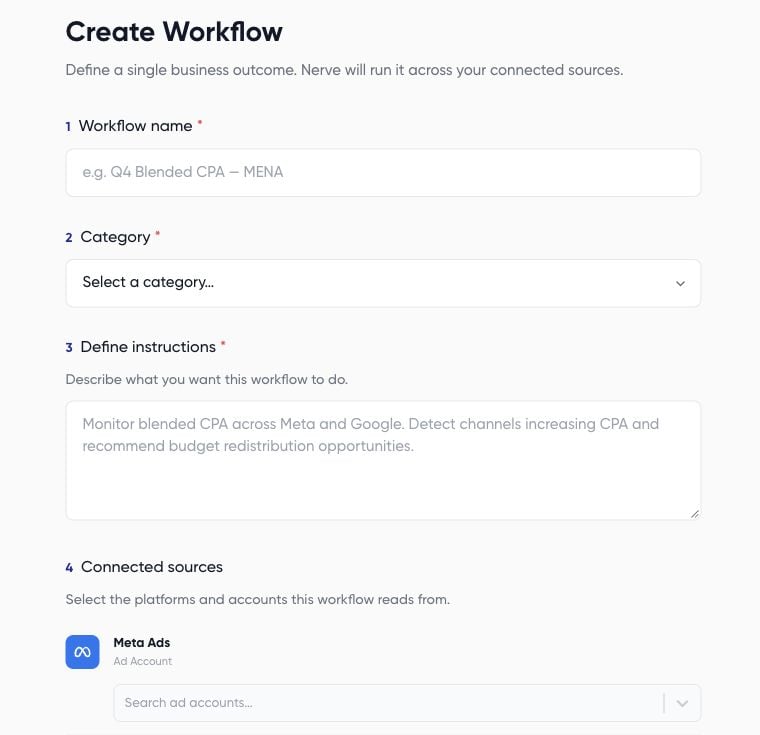
New workflow form with name, category, and instructions

Example instructions

Review before the first run

Read every generated step, not just the original instructions. Check source accounts and remove unintended destinations. If sources change, review the regeneration prompt and resulting steps. Creating a workflow and running it are separate decisions. Use Run a workflow and review results once the saved instructions, sources, and destinations match your goal. Add a schedule only after a useful manual test.