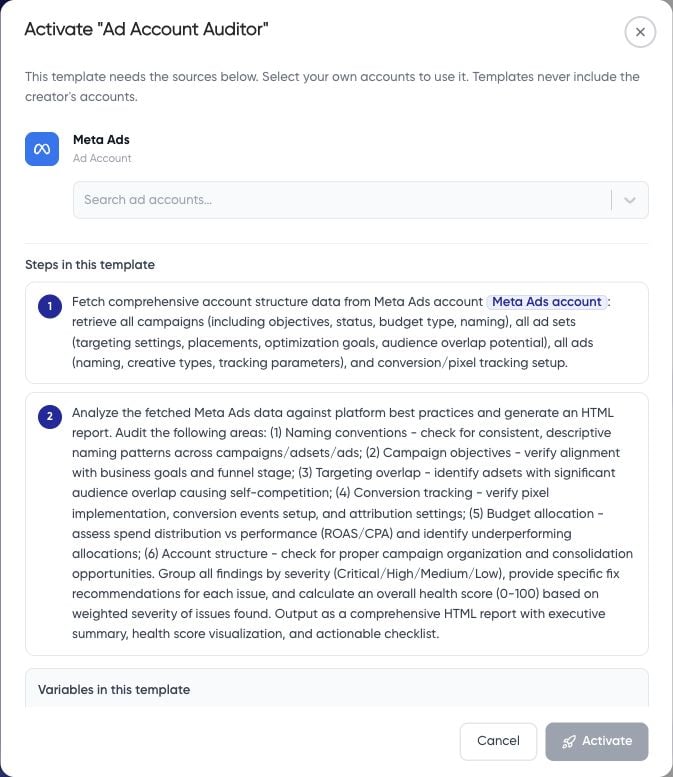
Choose and inspect
Open AI Agents > Workflows > Templates. The inspected library includes Ad Account Auditor, Landing Page Audit, Weekly Report Builder, Daily Pacing Checker, Budget Optimizer, Creative Fatigue Monitor, Cross Platform (Meta and Google), and Cross Channel CPA Optimization. Read the template details and classify each step: data retrieval, analysis, file creation, email, or a platform change. Check for embedded websites, account references, properties, and recipient details that need replacement.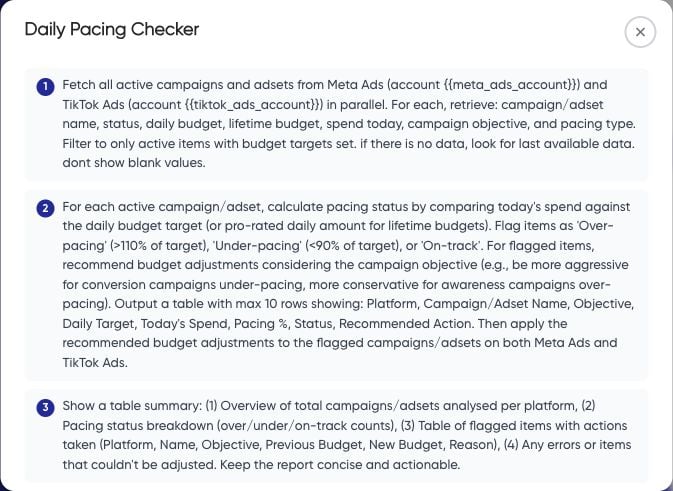
Map your accounts
- Choose Activate workflow to open the mapping dialog.
- Select your intended account for every required source.
- If a source is missing, connect it first and check the workspace’s plan limits.
- Read the final action and any confirmation before choosing Activate. Treat activation as consequential configuration, rather than a preview.
- Inspect the resulting workflow, its status, destinations, schedule, and run history before continuing.